Portfolio
Here is a portfolio of some of the iOS applications that I have developed.
Smart Service iFleet version 4
Update (June 2016): Here are some interesting statistics of iFleet usage for the month of May 2016 (all numbers approximate):
| Number of unique users | 4,200 |
| Number of sessions | 670,000 |
| Total time spent in app | 11.865 million minutes |
| 8,240 days | |
| 22 years, 7 months |
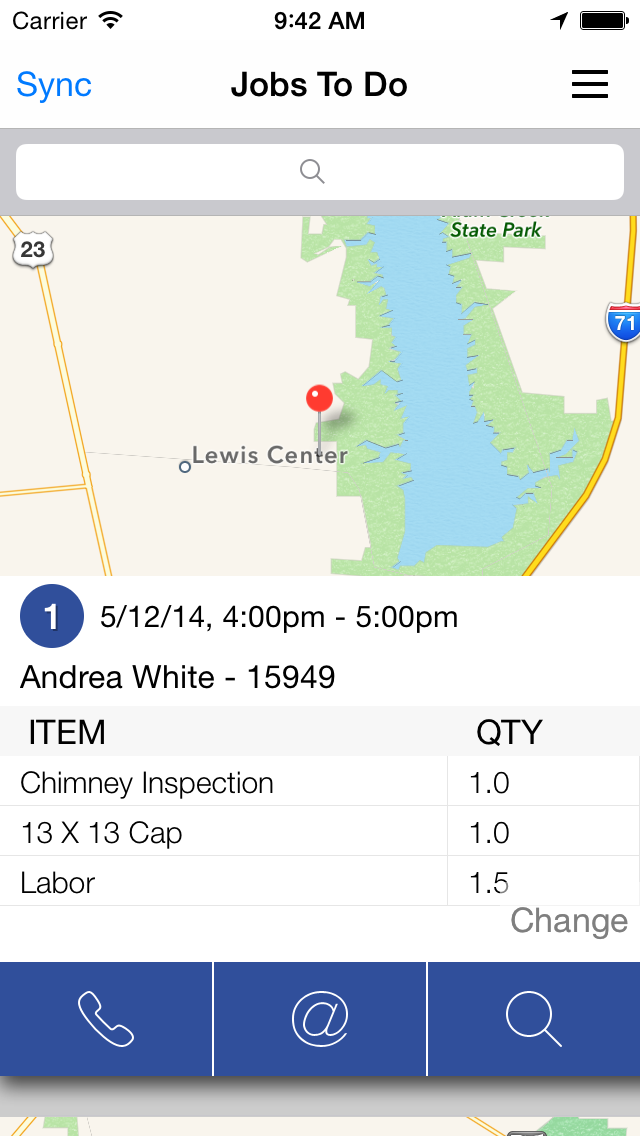
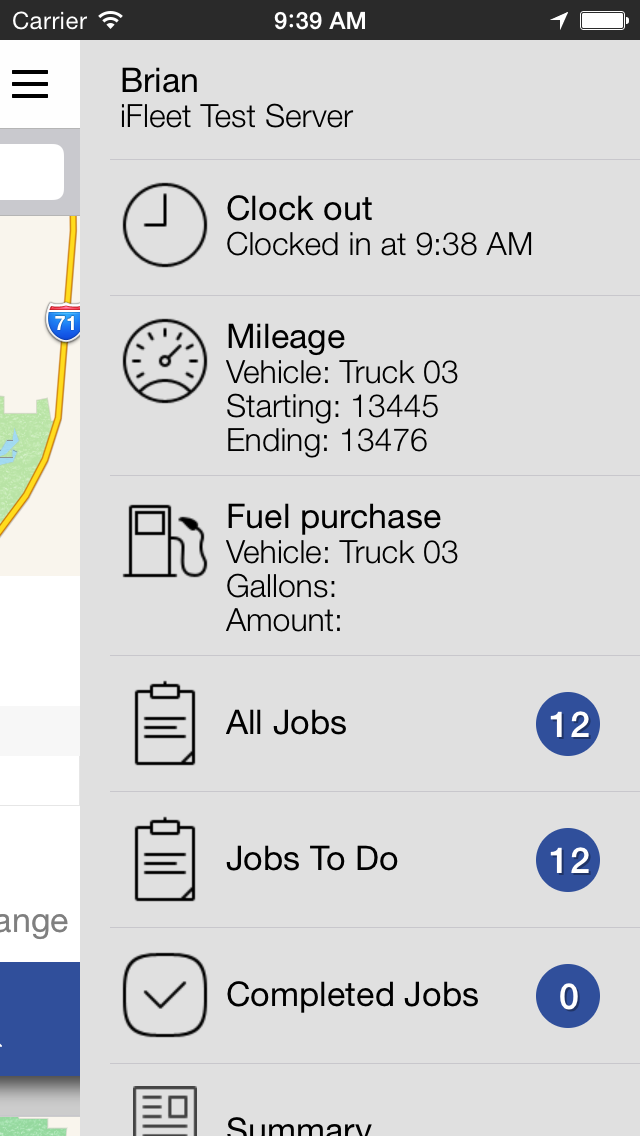
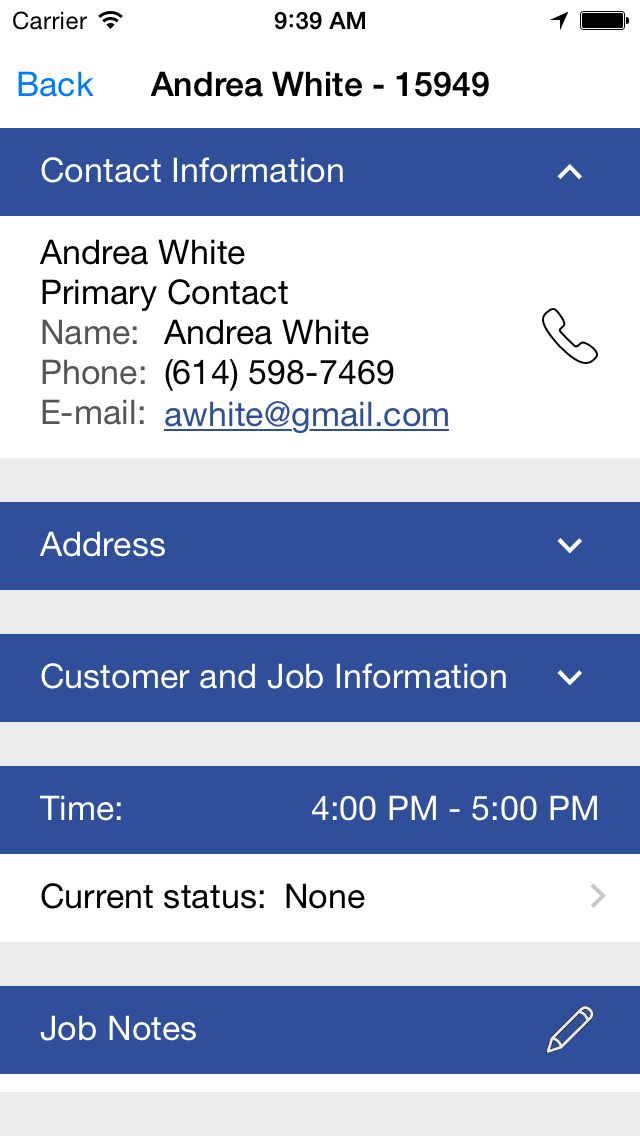
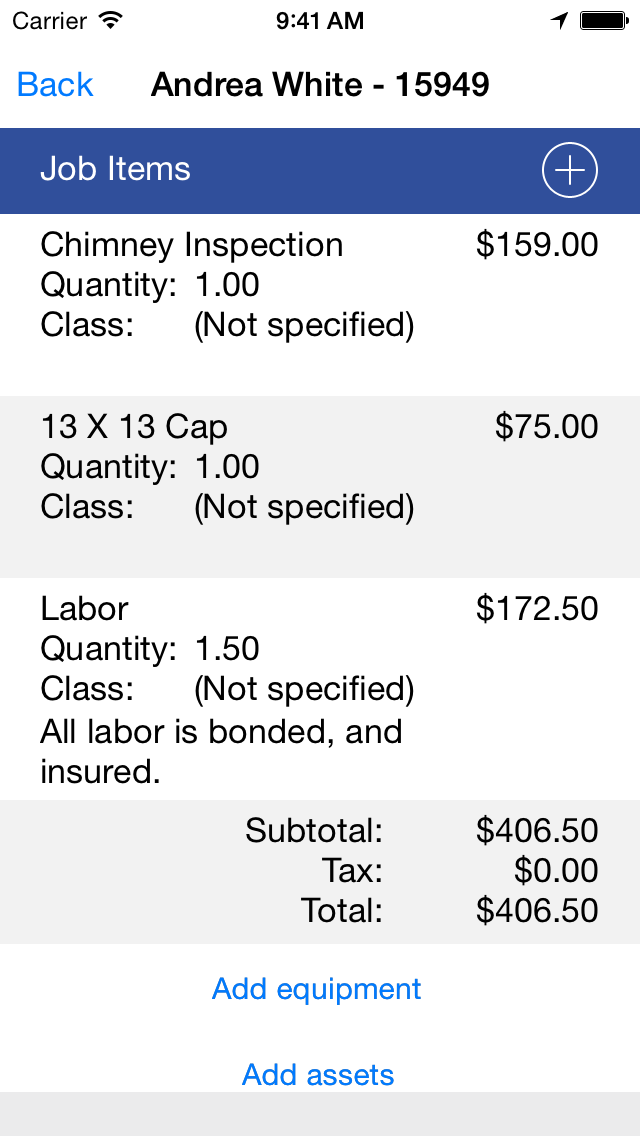
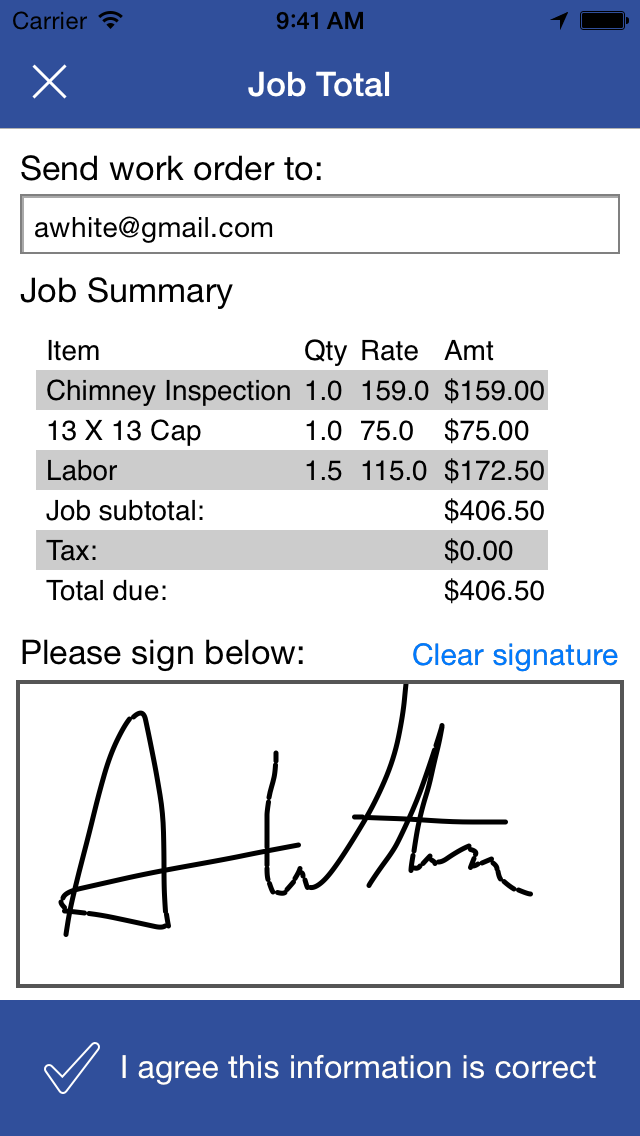
We are just coming out of a major redesign of iFleet to bring it up to version 4. Here are some screen shots of the new UI:
|
|
|
|
|
And here is the new marketing and informational web site for the iFleet app, and a demonstration video of the product:
Routzy
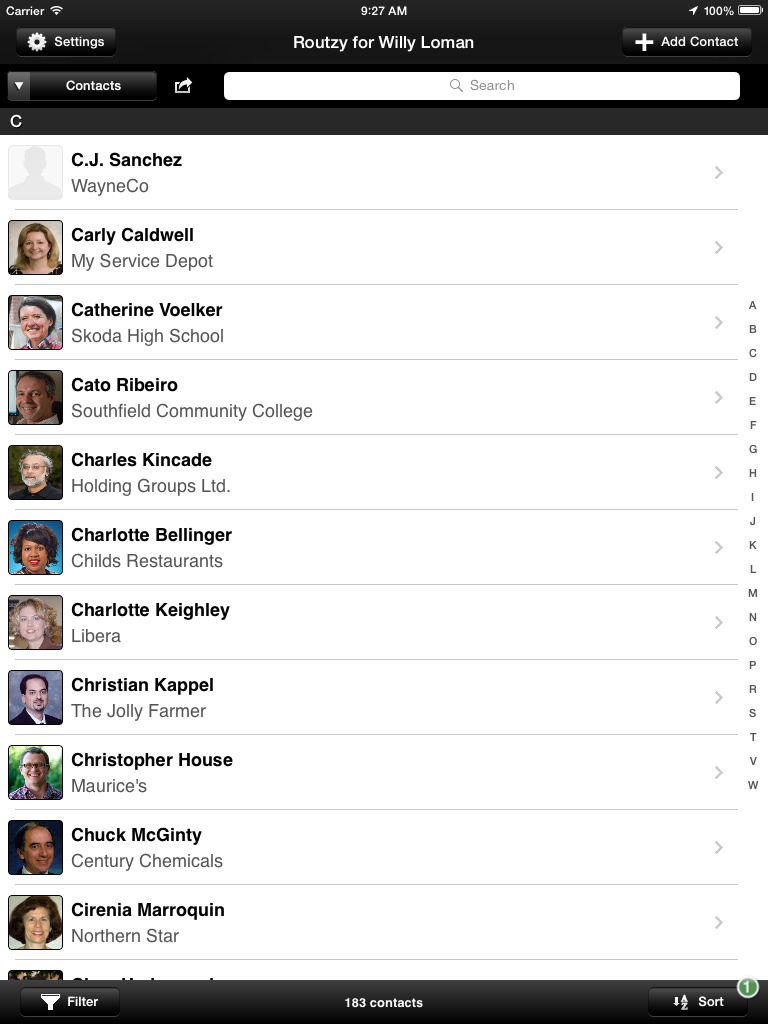
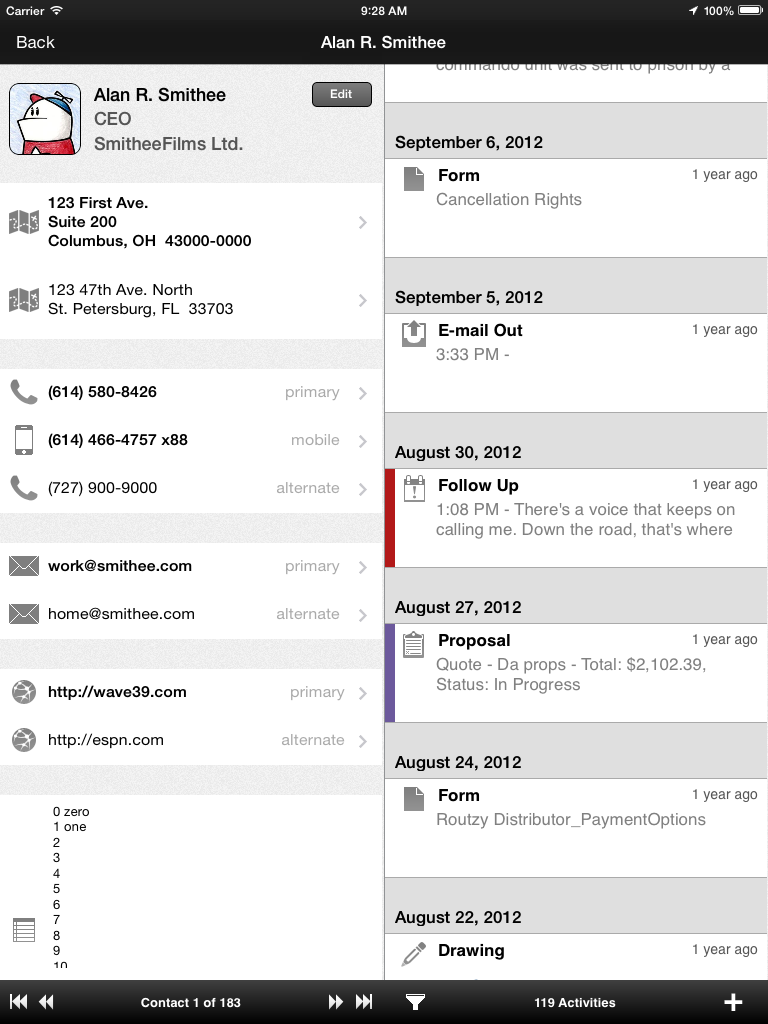
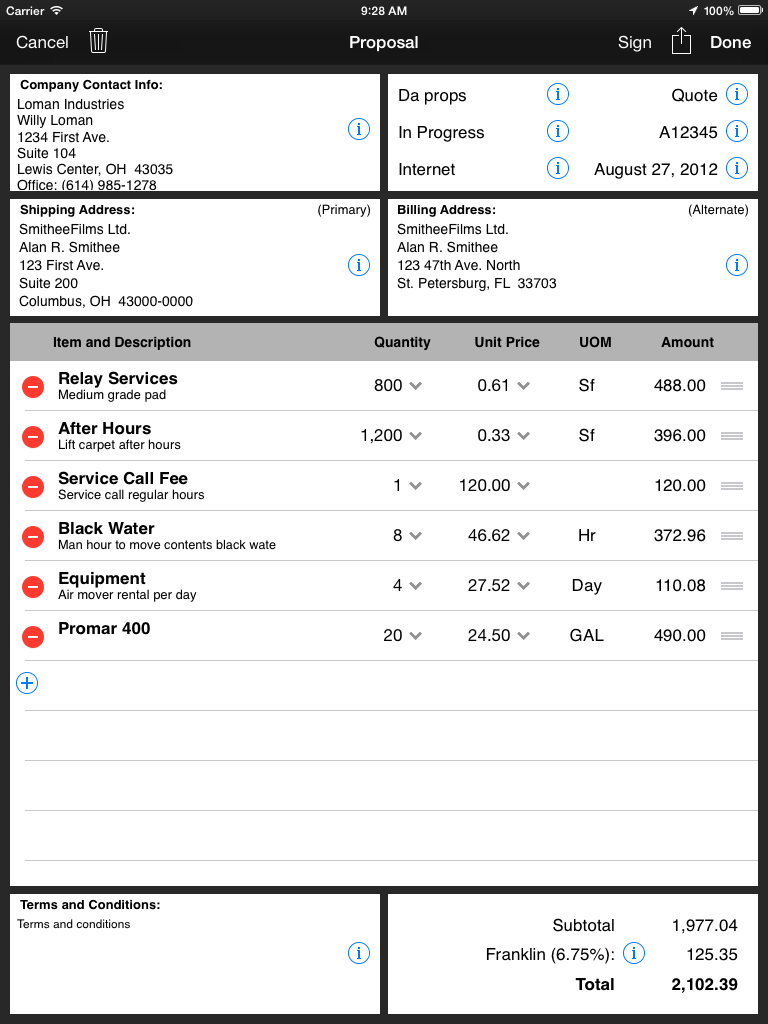
Routzy was designed and developed to be the most complete app for sales professionals available on any mobile platform. In addition to standard CRM functionality, Routzy also allows the salesperson to interact with their customers and keep their records in only one app instead of having to switch from one app to another to do different tasks.
Here are some screen shots of Routzy:
|
|
|
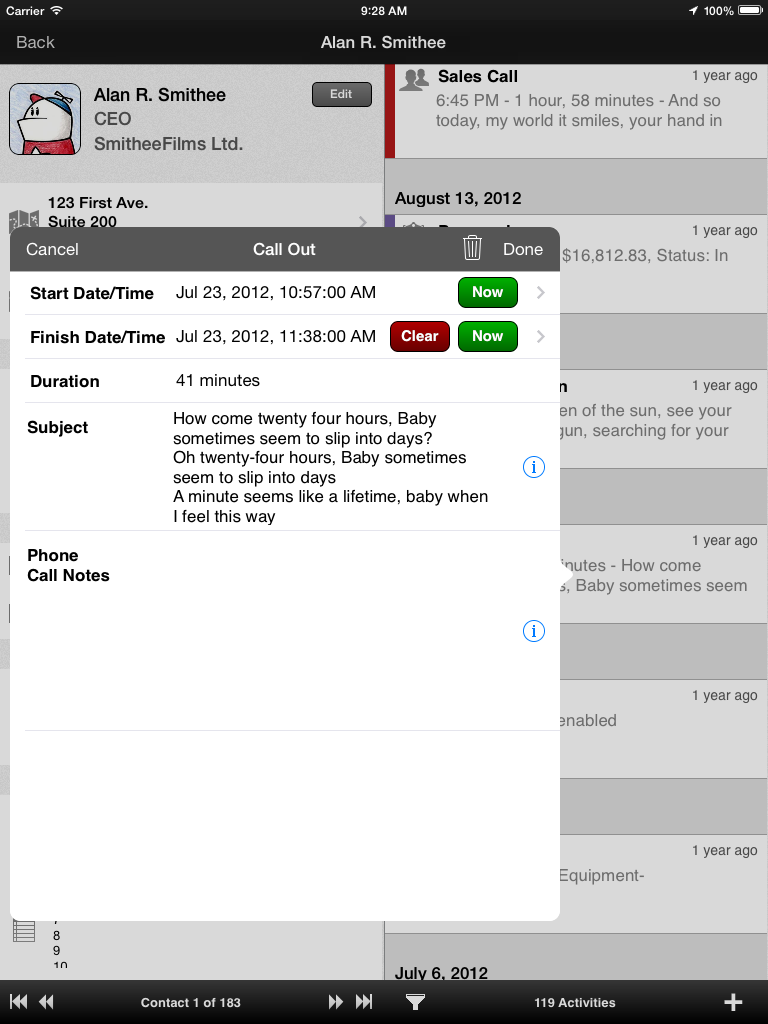
|
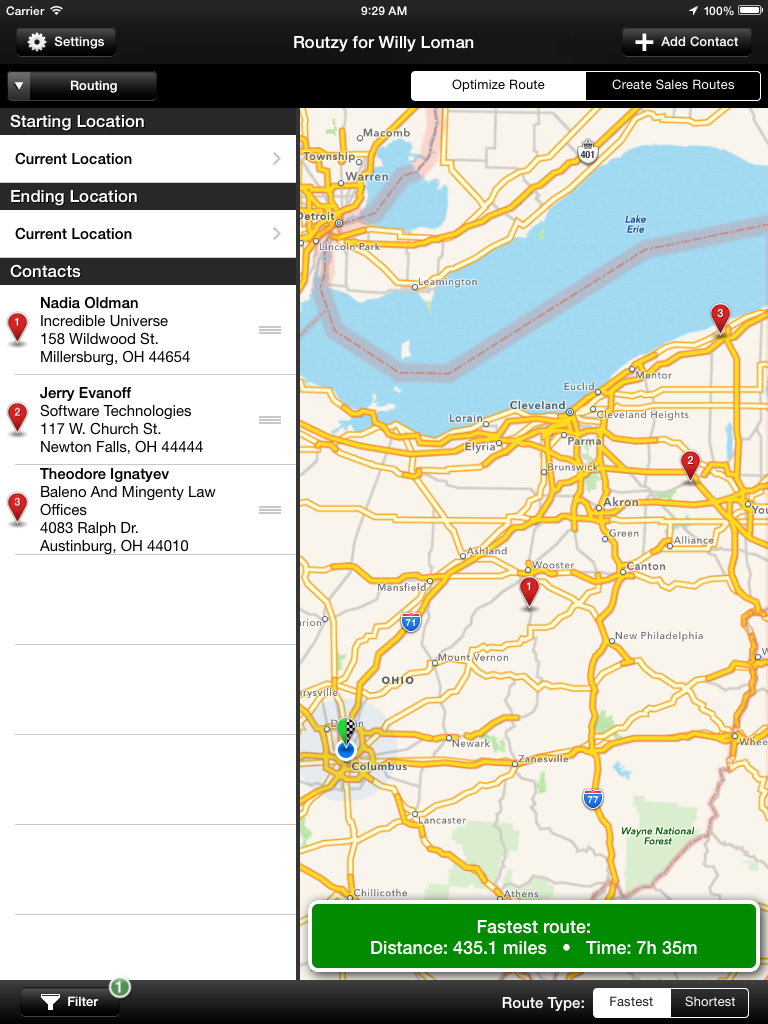
|
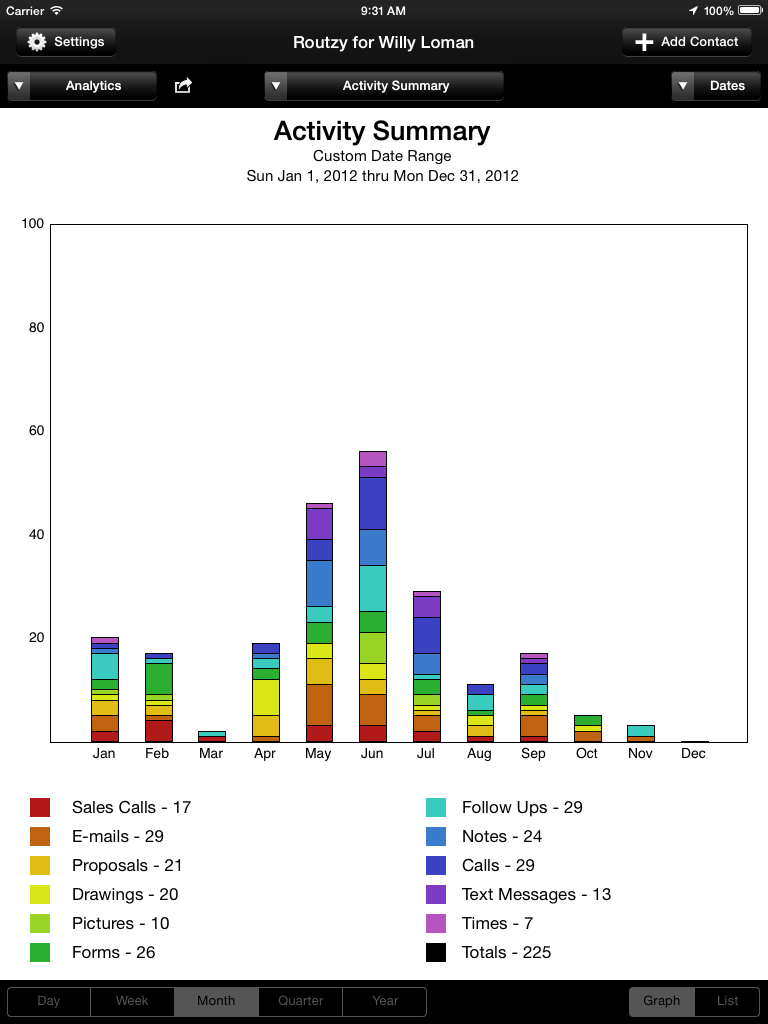
|
Here are some videos on using the app from the official Routzy page on YouTube:
The app is a subscription app through the App Store, here is the URL for the app:
For more information on the functionality of the app, please visit the Routzy home page at:
And here are some links to review of Routzy:
Routzy: The All-In-One CRM iPad App for Sales Professionals (Tech Cocktail)
Key technologies used in the Routzy application: Core Data, communications over HTTP with web services, PDF creation, location services, Contacts and Calendar app integration, Core Plot charting, barcode scanning, JSON parsing, In-App Purchase, Dropbox integration (this is a very large app, I’m sure there are quite a few that I have forgotten right at the moment)
Smart Service iFleet (original version)
This is an application from My Service Depot that I was brought in to rescue. It is a companion application that works with their Smart Service Windows job scheduling software, and is used by field workers to complete their work without having to go back to the central office to collect paperwork for the day’s tasks. The app is a free download through the App Store, here is the URL for the app:
Here are videos of the app in action:
iFleet iPhone app from Brian Prescott on Vimeo.
Key technologies used in the iFleet application: SQLite, FMDatabase, Core Data, asynchronous communications over HTTP with REST web services, file transfer over HTTP, XML parsing, file zip and unzip, blocks, Grand Central Dispatch, iPad universal app, signature capture, PDF creation, e-mail, camera image capture, bar code scanning
SportsCalc
This application allows you to quickly and easily do calculations for quarterback rating, earned run average, and goals against average. The app is a free download through the App Store, here is the URL for the app:
SportsCalc
Pro Baseball Stats (the app formerly known as Batter vs. Pitcher)
Ever since I came across the Retrosheet web site and project, I was fascinated by it, being a student of the game of baseball. I always wanted to do an application that took advantage of the vast storehouse of information kept by Retrosheet, and about 6 months ago I decided to try to do an iPhone app. Batter vs. Pitcher is the result of that labor of love.
Here is the URL for the app on the App Store:
Here is a video of the old Batter vs. Pitcher Lite version of the app in action:
Batter vs. Pitcher iPhone app (2) from Brian Prescott on Vimeo.
Key technologies used in the Batter vs. Pitcher application: large volume SQLite database, FMDatabase, blocks, Grand Central Dispatch
Statware applications
These applications are all companion applications that work with the Web Enabled Digital Scout product.
When you download and run these apps (they are all free downloads from the App Store), it asks for your existing Web Enabled credentials if the user already has an account, or it allows you to create a brand new account if you do not have one.
Once set up, you then use the app on the device to collect the stats at the game, and once the game is over, there is a sync button you tap in the software that sends your game data back to the web server. The web site is then the central repository for your statistical information, where you can view, print, or e-mail your stats, or create PDF files of your statistics reports.
Here are videos for the Statware applications (the iTunes store links have been removed because these apps are no longer available):
| Baseball Statware> / Softball Statware (released 12/23/2010) |
Football Statware (released 8/22/2010) |
| Basketball Statware (released 6/26/2010) Basketball Statware iPhone app from Brian Prescott on Vimeo. |
Volleyball Statware (released 6/8/2011) Volleyball Statware iPhone app from Brian Prescott on Vimeo. |
Key technologies used in the Statware applications: SQLite, FMDatabase, Core Graphics, Core Animation, Reachability, asynchronous communications over HTTP with REST web services, JSON parsing
Stir Trek 2012
This application allows you to download and view the schedule for the Stir Trek event in Columbus, Ohio on Friday, May 4, 2012. The app is a free download through the App Store, here is the URL for the app:
Stir Trek 2012 (link redacted, app has been removed from the App Store)
For a video of the app in action, please see the Stir Trek 2011 entry below, as the app is mostly the same as last year’s app.
Key technologies used in the Stir Trek application: Core Data, communications over HTTP with web services, JSON parsing
Stir Trek 2011
This application allows you to download and view the schedule for the Stir Trek event in Columbus, Ohio on May 6, 2011. The app is a free download through the App Store, here is the URL for the app:
Stir Trek 2011 (link redacted, app has been removed from the App Store)
Here is a video of the app in action:
Stir Trek 2011 iPhone app from Brian Prescott on Vimeo.
Key technologies used in the Stir Trek application: Core Data, communications over HTTP with web services, JSON parsing
Portfolio questions
If you have any questions about my portfolio, please feel free to drop me a line at my bp (at) dosomethinghere.com e-mail address.